
Real-time AI captions for any video in your browser

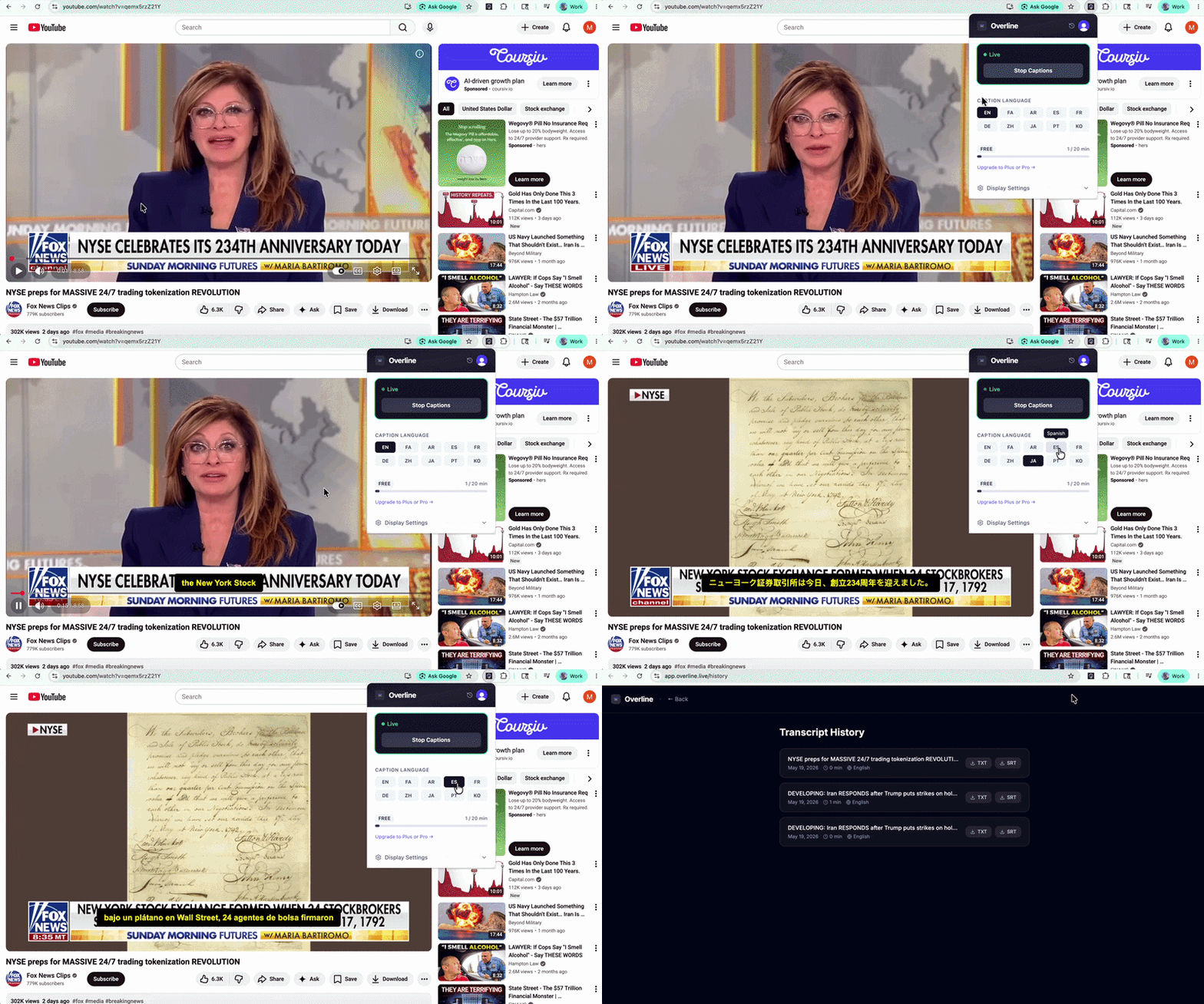
I was watching a news broadcast being translated live on screen and had one thought: why isn’t this just built into the browser?
The technology clearly exists. Transcription, translation, real-time, all of it. But using it meant switching apps, copying text, losing the thread of what you were watching.
I started thinking about who actually needs this. Language learners trying to follow native content. Students watching university lectures in a second language. Anyone who’s ever given up on a video because the captions were too broken to follow.
So I built it.
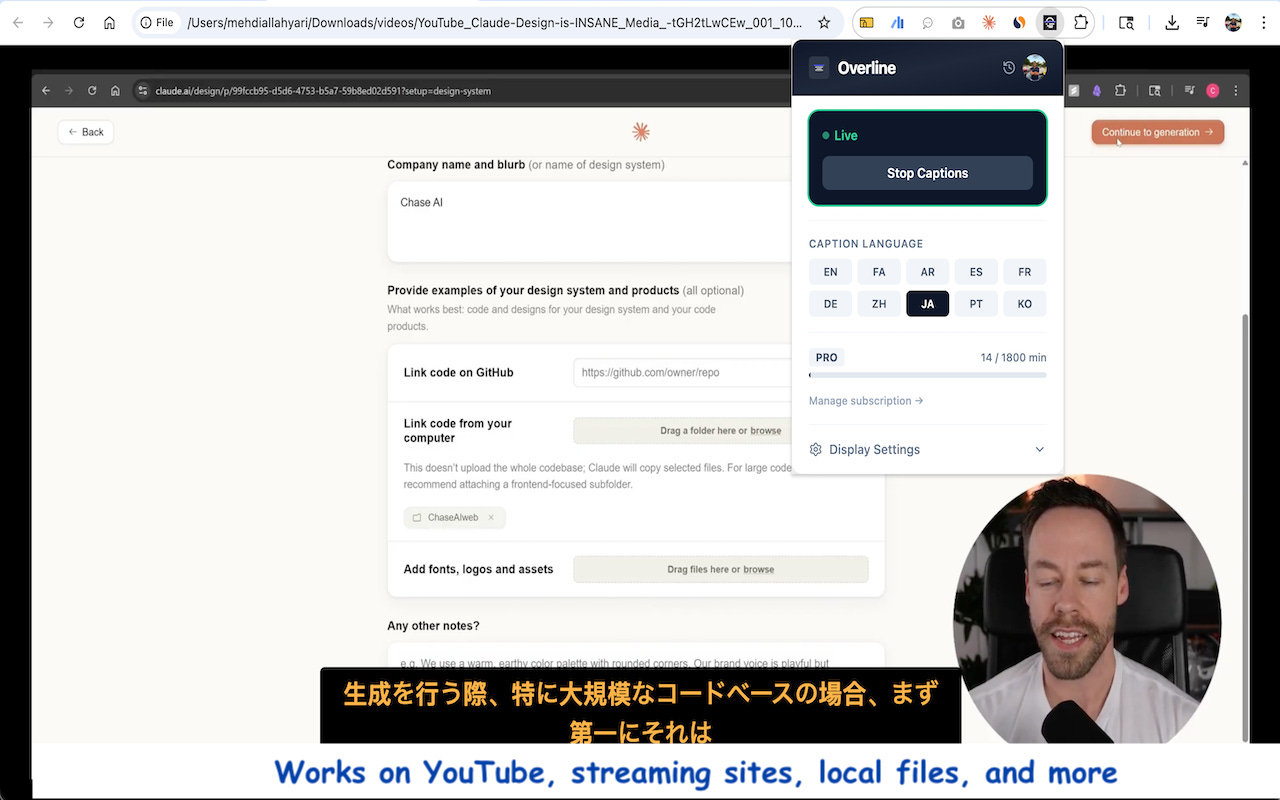
Overline is a Chrome extension that overlays real-time AI captions and translation directly on any video you’re watching in your browser. YouTube, news sites, university lecture portals, anything with video.
You click Start. Captions appear on the video itself, in your language, in real time.
No switching tabs. No copy-pasting. No lag that breaks your focus. Just the video, with understanding layered on top.
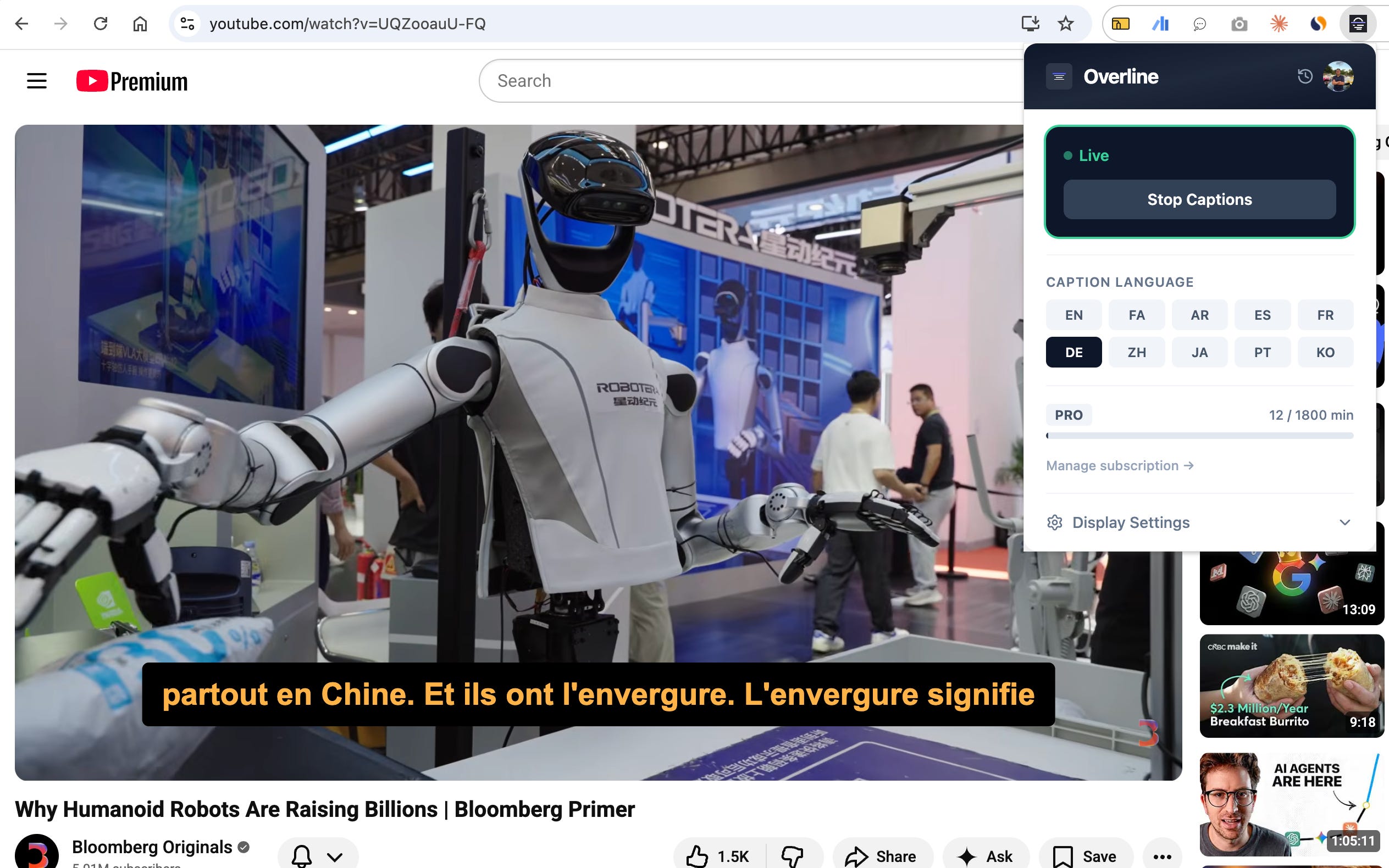
Who it’s for:
Language learners who want to watch native content without losing the thread
Students accessing lectures or educational videos in a foreign language
Anyone who’s ever given up on a video because the captions were too bad to follow
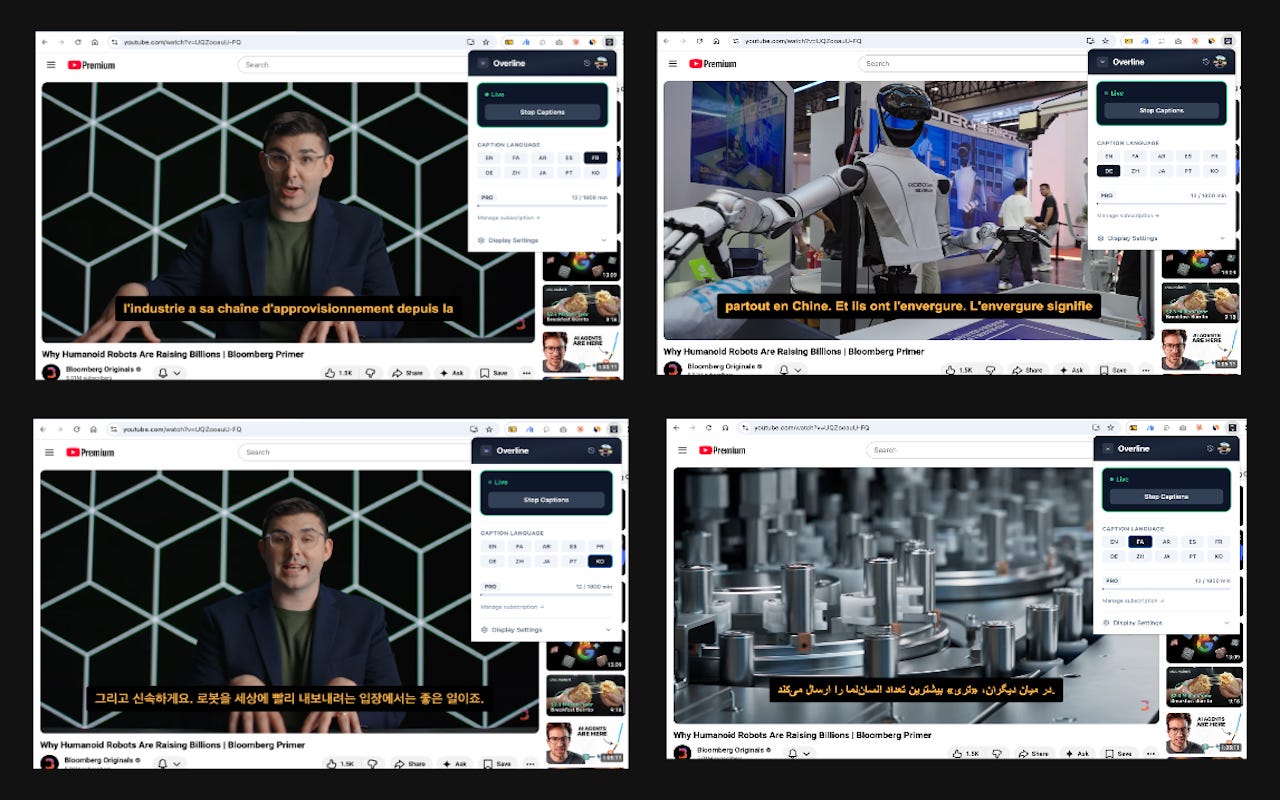
How to try it:
Overline is free and available now on the Chrome Web Store. Install it, sign in, pick your target language, and click Start Captions on any video page.
How it works (for the curious)
Building this taught me a few interesting things about what’s actually possible inside a Chrome extension.
The high-level architecture looks like this:
The flow has three stages:
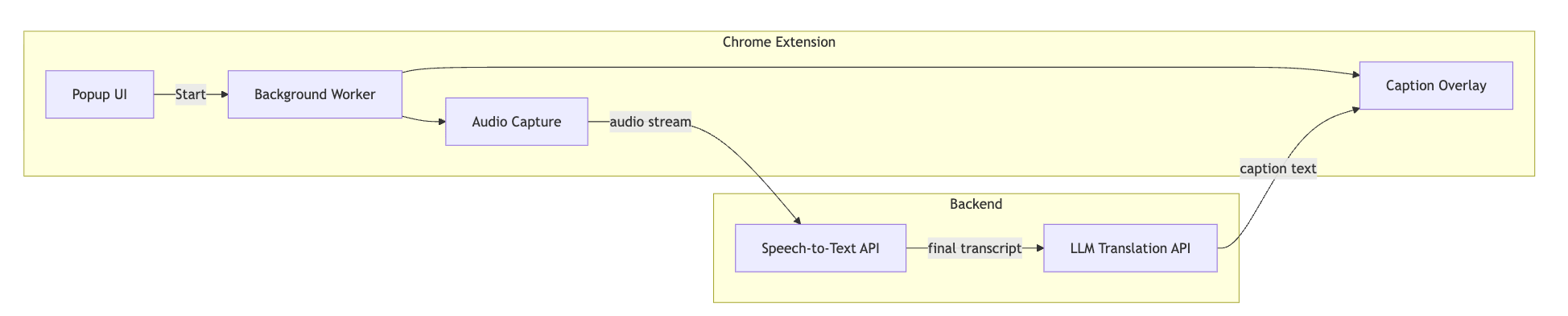
1. Capture
The extension captures your tab’s audio directly, the video playing in Chrome, without touching your microphone. This is done through a Chrome API designed specifically for tab audio, routed through a background process that handles the stream.
2. Transcribe & Translate
Audio is streamed in real time to a backend that pipes it through a speech-to-text API, then optionally through an LLM for translation. The system distinguishes between partial (in-progress) transcripts and finalized ones, which is what gives the captions their live, flowing feel rather than appearing in sudden chunks.
3. Overlay
The caption text is injected directly into the tab as an overlay on the video, no separate window, no UI clutter. It appears where you’re already looking.
Here’s the sequence of a single caption appearing from the moment audio leaves your browser:
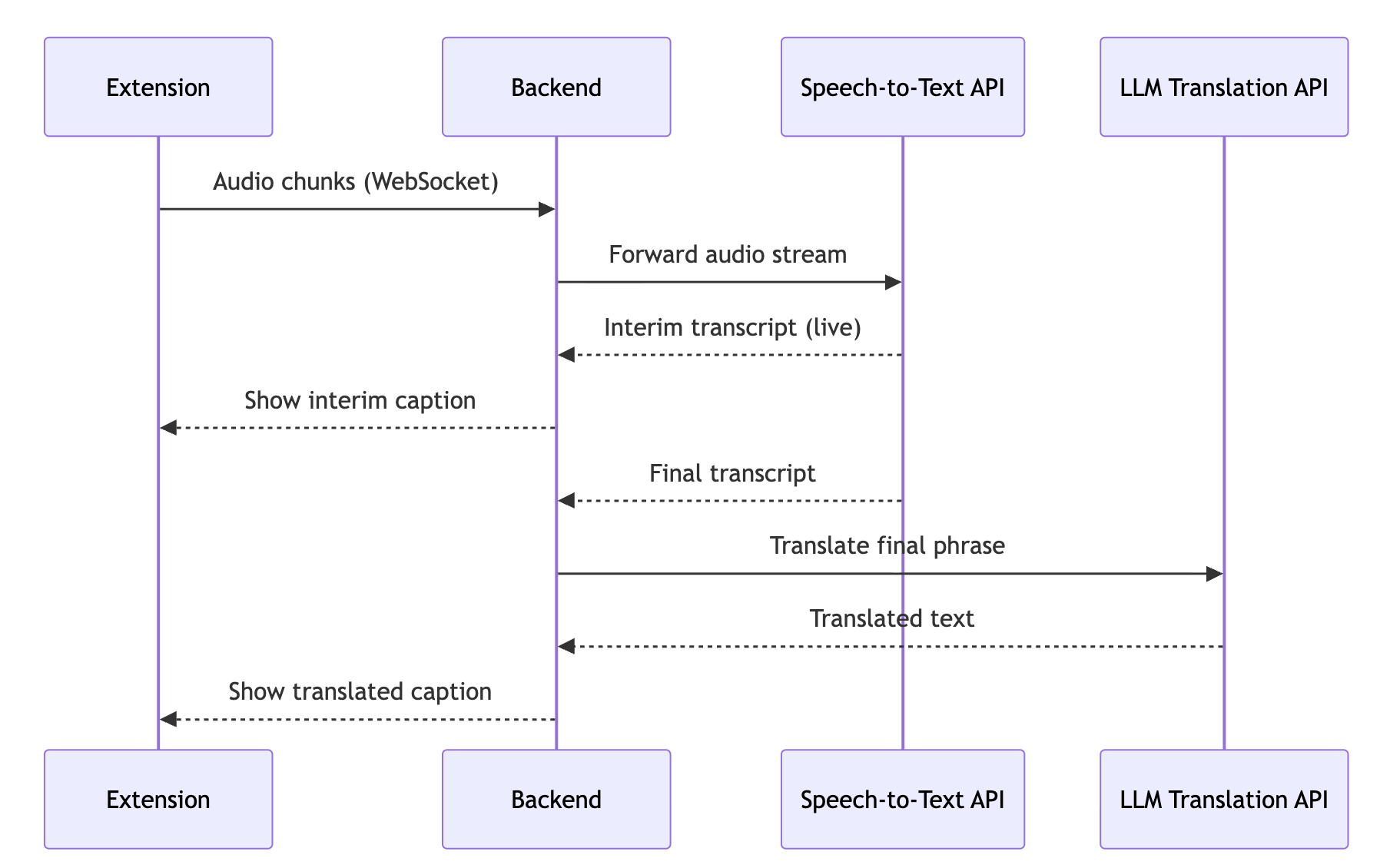
The whole round trip, audio out, caption back, typically lands under a second
The extension is built with WXT (a TypeScript-first framework for Chrome extensions), React for the popup, and a Python + FastAPI backend. Auth is handled by Clerk.
This is v1. I’m actively working on making it faster, supporting more languages, and reducing setup friction. If you try it, reply here or reach out directly, I’d genuinely love to know what’s working and what isn’t.